
Roll a Barber RNG Guide: Rolls, Upgrades, and Rewards
Use this Roll a Barber RNG guide to unlock auto-roll, equip stronger barbers, upgrade your shop, and collect rewards while building your barber business.
Jump to
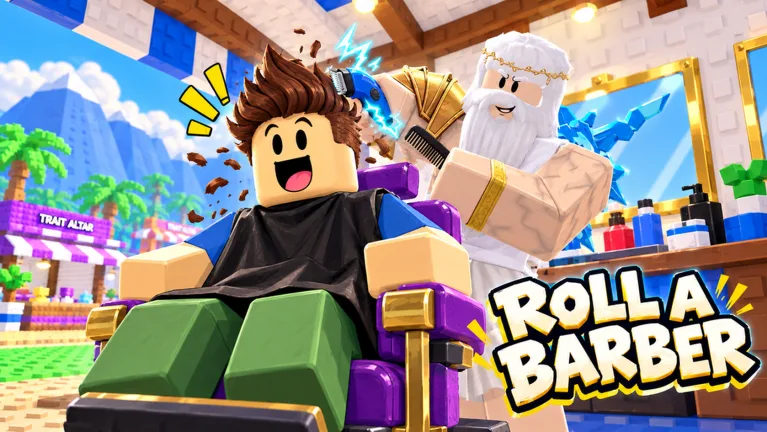
How to Play Roll a Barber RNG
Pulling a legendary barber is exciting, but this Roll a Barber RNG guide helps you turn that lucky roll into a working shop. Your income supports the chairs, equipment, and upgrades that keep your business growing. Use this Roll a Barber RNG guide to unlock auto-roll, put stronger workers to work, and collect rewards while you expand.
The loop is straightforward: roll barbers, equip them through your backpack, earn money from haircuts, and reinvest in your shop. Luck matters, but managing the workers you already have matters too.
Start with this sequence:
| Step | What to do | What it accomplishes |
|---|---|---|
| Roll barbers | Follow the tutorial and begin rolling | Adds workers to your backpack |
| Equip workers | Open your backpack and equip your best barbers | Puts your available workers into the shop |
| Develop your shop | Buy skill tree upgrades and additional chairs | Expands your shop’s capabilities |
| Complete 30 rolls | Keep rolling until auto-roll unlocks | Gives you access to automatic rolling |
| Collect rewards | Check quests, daily rewards, and playtime rewards | Adds rewards alongside your shop income |
After your 30th roll, enable auto-roll. Both the unlock requirement and the automation make this a useful early target: you can keep rolling while checking other parts of your shop.
Reopen your backpack after a promising pull. Use the option to equip your best barbers, then check your shop again after adding another chair. An extra workstation needs a worker, so make equipping part of your expansion routine.
You can enter through the official Roll a Barber RNG Roblox page.
Upgrade Your Skill Tree and Shop Together
The skill tree connects several parts of progression: customer count, cutting speed, money, luck, faster rolls, and additional chairs. The shop also offers equipment purchases and upgrades.
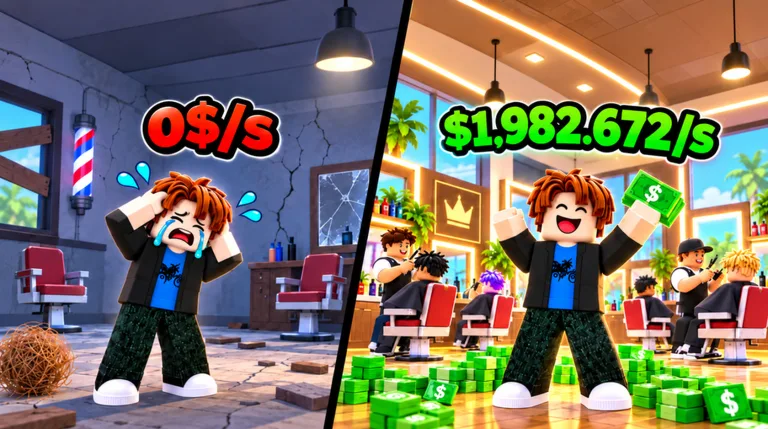 Image: Roblox / Roll a Barber Studio
For this part of the Roll a Barber RNG guide, focus on what your shop needs right now. Look at your available workers, chairs, and upgrade prices before spending your next batch of money.
| Upgrade | What it changes | What to check before buying |
|---|---|---|
| Additional chairs | Adds another workstation | Check your backpack for a worker to equip |
| Customers | Increases customer count | Review your chair upgrades alongside it |
| Cutting | Speeds up the haircut process | Compare it with other affordable upgrades |
| Money | Improves money generation | Check its price against your current funds |
| Luck | Improves roll luck | Review your current rolling upgrades |
| Faster rolls | Reduces the time between rolls | Pair it with your unlocked auto-roll |
Keep Chairs and Workers Together
Buy another chair when you can support it with a barber. Then return to your backpack and equip your workers again. Repeat that check whenever you expand; collecting barbers and placing them are separate parts of managing the shop.
Avoid spending every available purchase on the same branch without looking around. Compare a customer upgrade, a cutting upgrade, and another chair before committing. Their costs change as you progress, so use the prices currently displayed in your game.
Check Equipment Beyond the Skill Tree
Visit the shop for upgrades involving scissors, razors, hair dryers, mirrors, and chairs. These purchases give you another place to invest earnings while developing your barbershop.
Dice are also available there, including Wooden Dice and Bone Dice. Check the displayed stats when shopping for a replacement, especially when you are working on your rolling setup.
After a few purchases, review both menus again. A useful upgrade can sit in the shop while your attention stays on the skill tree.
Improve Your Barber Lineup, Luck, and Traits
Your backpack fills as you roll, but the shop benefits from the workers you equip. Check new pulls regularly instead of leaving your lineup untouched throughout a long rolling session.
Two notable barbers to recognize are:
| Barber | Displayed rarity | Displayed odds |
|---|---|---|
| King Cuts | Legendary | 1 in 28,000 |
| The null barber | Secret | 1 in 170,500 |
Those odds help explain why a rare pull feels significant. They are not a schedule for when you will receive that barber. Keep developing your income and shop while rolling rather than planning your next upgrade around a specific drop.
The practical advice in this Roll a Barber RNG guide is to keep checking what each new worker adds to your lineup. Use the backpack’s best-worker option after a strong pull, especially when you have recently unlocked another chair.
Separate Luck, Roll Speed, and Mutations
Luck upgrades and faster-roll upgrades serve different purposes. Luck improves your rolling luck; faster rolls shorten the wait between attempts. Review both as you develop your skill tree.
Mutation luck is another category. The game includes Silver, Gold, Rainbow, Encrypted, and weather mutations. The 2x Mutation Luck pass specifically increases mutation likelihood, so distinguish it from a regular luck purchase.
Read Traits Before Rerolling
Trait rerolls can produce bonuses to cutting speed or money. Read the current trait and the new result carefully before continuing to reroll.
Compare those bonuses with your current upgrades. If you are investing in faster haircuts, review a cutting-speed trait alongside that plan. If you are working on income, examine the money bonus. Make the decision from the displayed effects rather than the trait’s name alone.
Collect Rewards and Join the Halloween Hunt
Rolling and upgrading can keep you busy enough to overlook rewards elsewhere. Check the daily reward NPC, quest board, and playtime rewards during your session.
Use this reward checklist alongside the Roll a Barber RNG guide’s progression steps:
| Reward activity | What to do | Reward details |
|---|---|---|
| Daily rewards | Speak to the daily reward NPC | Claim the available daily reward |
| Quests | Open your quests and claim completed objectives | Collect completed quest rewards |
| Playtime rewards | Check rewards as your session continues | Potions are among the rewards |
| Halloween Hunt | Enter the event and collect candy | Gather Halloween event currency |
Claim completed quests before returning to a long stretch of rolling. Some objectives can finish while you handle ordinary shop progression, so check for available claims whenever you revisit the quest board.
Playtime rewards also deserve a quick look. Collect available potions rather than overlooking the reward menu while your shop runs.
Collect Candy During the Hunt
The October 2026 Halloween version includes a timed Hunt where you collect candy while threats interfere with your run.
Watch the event timer and move toward candy as you navigate the area. Keep your attention on nearby threats, too; getting caught interrupts the collection run.
Check the Hunt countdown when visiting the event area so you know when another entry is approaching. After collecting candy, review the Halloween shop and its displayed purchases before spending.
The Halloween area also includes Coffin Roulette and other event features. Keep the Hunt’s candy collection loop separate from ordinary shop management: check your rewards and event options, then return to your barbershop to continue upgrading.
Prepare Before You Rebirth
Rebirth is a progression feature to approach with your current balance in mind. Rebirthing clears your money, so read the requirement and purchase screen before activating it.
The rebirth advice in this Roll a Barber RNG guide is simple: make the reset deliberately. Do not click through while treating it like another small skill tree purchase.
Before committing:
- Check the requirement displayed on your rebirth screen.
- Review your current shop and available purchases.
- Claim completed quests and available rewards.
- Open your backpack and review your equipped workers.
- Read the rebirth screen before confirming the reset.
Use your current requirement when planning. A price seen during an earlier stage is less useful than the target shown on your own screen.
After rebirthing, check your balance and available upgrades before spending again. Return to the core routine of rolling, equipping, and managing your shop, and use the game’s current menus to decide your next purchase.
Understand Game Passes Before Spending Robux
Game passes affect different parts of the loop. Some improve regular luck, one adds another barber per roll, and others target income, mutations, or offline earnings.
The prices below apply to October 22, 2026.
| Game pass | Price | Effect |
|---|---|---|
| Luck 2x | 149 Robux | Doubles luck on every roll |
| Ultra Luck 4x | 349 Robux | Gives 4x luck; combines with Luck 2x for x6 |
| Double Roll | 399 Robux | Gives two barbers with every roll |
| VIP | 199 Robux | Gives x1.5 money, luck, and daily rewards, plus a crown |
| Money 2x | 249 Robux | Doubles money earned by your barbers |
| 2x Mutation Luck | 329 Robux | Doubles mutation likelihood |
| Offline 2x | 149 Robux | Doubles offline earnings and extends the collection window |
| Halloween Pass | 499 Robux | Unlocks the Halloween Pass |
Use this Roll a Barber RNG guide to identify which system you want a purchase to affect before opening the payment screen.
For regular luck purchases, read the stacking description carefully: Luck 2x and Ultra Luck 4x combine for x6. Do not calculate their combined effect as x8.
Keep Double Roll’s effect separate from luck, too. It gives two barbers with each roll. Compare that benefit with the luck passes based on the change you want to make to your rolling routine.
For earnings, distinguish between Money 2x and Offline 2x. Money 2x targets your barbers’ money generation. Offline 2x changes offline earnings and extends the collection window.
Finally, read the Halloween Pass screen before buying it. Its purchase unlocks the event pass; check the current reward track to decide whether you want those rewards.
FAQ
How do you unlock auto-roll in Roll a Barber RNG?
Complete 30 rolls, then enable auto-roll. Keep checking your backpack afterward so new pulls can become part of your equipped lineup.
What should beginners focus on in this Roll a Barber RNG guide?
Follow the tutorial, equip your barbers, and work toward auto-roll. Compare chair, customer, cutting, and money upgrades as you earn, and check quests, daily rewards, and playtime rewards regularly.
Do Luck 2x and Ultra Luck 4x stack?
Yes. Together, they provide x6 luck. Their combined effect is stated directly in the pass descriptions.
How do you get Halloween candy?
Join the Halloween Hunt and collect candy during its timed run. Watch for threats while moving through the event, then check the Halloween shop’s available purchases.
Continue with
 Roll a Barber RNG Rebirth: Costs and Progression TipsPlan your Roll a Barber RNG rebirth with tips on the money reset, the 970 million requirement, barber upgrades, auto-roll, and building steady shop income.
More in Guide
Roll a Barber RNG Backpack: Equip Your Best Barbers
Learn how to use the Roll a Barber RNG backpack, equip your best barbers, fill new chairs, and pair your lineup with upgrades that keep your shop earning.
Roll a Barber RNG Chair Upgrades: Unlock More Seats
Learn how Roll a Barber RNG chair upgrades work, unlock more seats, equip extra barbers, and balance customers and cutting speed to grow your shop income.
Roll a Barber RNG Farm Money During Active Play: Tips
Roll a Barber RNG farm money during active play with smarter worker swaps, chair upgrades, auto-roll, and reward claims. Build your shop's earning power.
Roll a Barber RNG Skill Tree: Upgrade Priority Guide
Use the Roll a Barber RNG skill tree to grow your shop with chairs, customers, cutting speed, luck, and faster rolls. Learn what to upgrade as you expand.
Continue exploring
Join the community
Official channels for news, updates and player help: