
Roll a Barber RNG Second Floor: Shop Progress Guide
Build toward your Roll a Barber RNG second floor with practical tips on chairs, barber rolls, cutting speed, skill tree upgrades, and steady cash growth.
Jump to
What Is the Second Floor in Roll a Barber RNG?
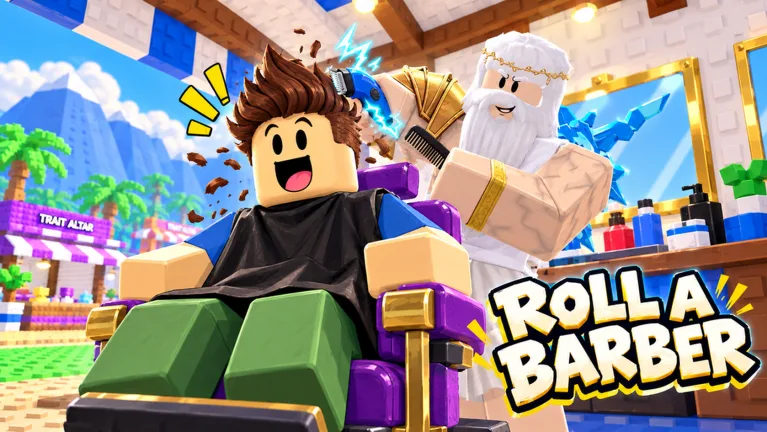
The Roll a Barber RNG second floor is an upstairs barber area visible in developed shops. If the Roll a Barber RNG second floor is your next goal, start by strengthening the business underneath it: your chairs, workers, and income. Keeping those systems working together gives you a practical way to pursue a larger shop without overlooking upgrades you can already afford.
Roll a Barber RNG combines random barber rolls with tycoon progression. You recruit workers, equip them through your backpack, and improve the shop through its skill tree. More chairs create room for additional barbers, while customer and cutting upgrades support the haircut business.
Use the Roll a Barber RNG second floor layout as your expansion target, then work through the systems that make your current shop productive. Check chair upgrades, keep your available workers equipped, and watch how quickly customers move through the chairs.
A crowded shop can look impressive, but watch the actual haircut cycle. An empty chair needs a worker; a slow haircut points you toward cutting speed. Those are useful problems to solve while pursuing more space.
Build a Working Shop Before Chasing More Space
Start with the tutorial’s basic loop: roll, open your backpack, equip your barbers, and use the skill tree. Keep returning to that loop as your shop grows.
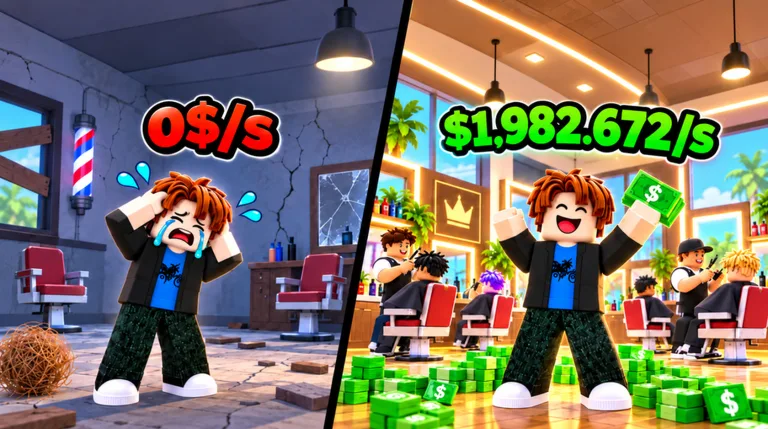 Image: Roblox / Roll a Barber Studio
Buying another chair and staffing it are separate actions. After adding capacity, check your backpack instead of assuming every worker is already assigned.
| Shop system | What it does | What to check |
|---|---|---|
| Chairs | Add barber seating capacity | Whether a worker is using the added chair |
| Equipped barbers | Work in your shop and generate money | Whether stronger available workers are equipped |
| Customer upgrades | Increase the customer count | How customers are moving through your shop |
| Cutting upgrades | Speed up haircuts | How long occupied chairs take to finish |
| Money upgrades | Increase earnings | Your available upgrade options and cash balance |
Follow the chair-and-worker loop
- Check the skill tree. Look at the chair, customer, money, luck, and cutting upgrades currently available.
- Purchase an affordable chair upgrade. Add capacity when you have the money for it.
- Open your backpack. Use the option that equips your best available barbers.
- Watch the shop. Check that the new chair has a worker and that customers are being served.
- Choose your next upgrade from what you see. Address slow cutting, limited capacity, or customer flow as needed.
Avoid spending all your attention on the next chair. A worker still needs time to complete each haircut, and customer upgrades are another part of the business.
For your Roll a Barber RNG second floor goal, keep the current shop active between purchases. Add a chair, staff it, and then reassess. That makes each round of spending easier to evaluate.
Claim completed quests and playtime rewards during these checks, too. They are easy to overlook when you are focused on watching your cash balance climb.
Roll Barbers and Keep Your Chairs Staffed
Rolling supplies the workers your shop depends on. Opening the backpack and equipping them turns those rolls into an active team.
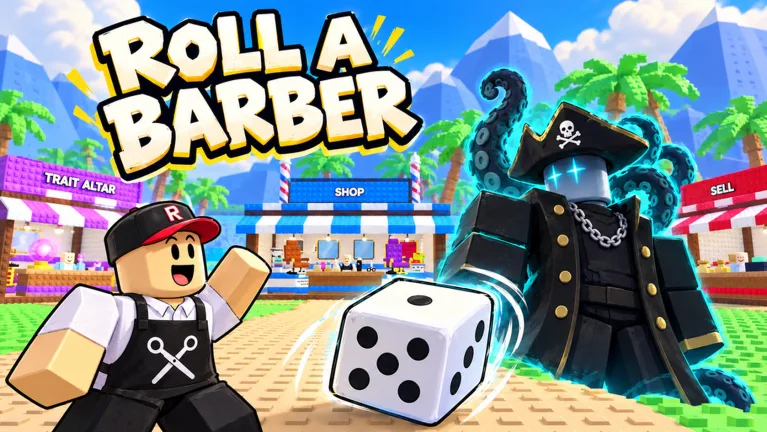 Image: Roblox / Roll a Barber Studio
Auto-roll unlocks after 30 rolls. Work through those rolls to unlock automatic rolling, then keep checking your backpack as new barbers arrive.
Rolling speed and haircut speed serve different purposes. Faster rolls help you obtain barbers more quickly; cutting upgrades affect the workers already serving customers.
| Action or upgrade | Effect | Follow-up action |
|---|---|---|
| Manual rolling | Obtains barbers | Check your backpack for useful additions |
| Completing 30 rolls | Unlocks auto-roll | Activate it when you want automatic rolls |
| Fast-roll upgrades | Improve rolling speed | Continue checking your available workers |
| Luck upgrades | Improve luck | Keep rolling for stronger additions |
| Equipping your best barbers | Updates the workers used in your shop | Watch their earnings and cutting pace |
Compare payout and cutting speed together
A barber with a larger payout can still take longer to finish a haircut. Look at both qualities when deciding which workers to use.
Compare workers over a similar period instead of judging them from one payment. Watch several completed haircuts and consider how often each worker earns money.
For example, a slow barber with an impressive payout deserves a closer look before replacing a faster worker. The useful question is how much money the chair produces while you are watching it.
Use this checklist after a rolling session:
- Open your backpack.
- Equip your best available barbers.
- Check the newly staffed chairs.
- Watch haircut completion speed.
- Review available cutting and money upgrades.
The Roll a Barber RNG second floor is a shop expansion goal, but rolling remains part of developing the business. Keep recruiting and reviewing workers as you buy chairs.
The index also tracks your barber collection across rarity categories. Use it to see which collection entries you have filled while continuing to evaluate the workers actually earning money in your shop.
Balance Cash, Customers, and Cutting Speed
Your cash balance funds several competing upgrades. Chairs, customer increases, luck, money bonuses, and faster cutting all draw your attention, so choose purchases deliberately.
Watch the haircut cycle before opening the upgrade menu. If occupied chairs take a long time to finish, inspect cutting upgrades. If you have additional workers ready to equip, check chair availability.
The following purchases illustrate different parts of progression:
| Purchase | Gameplay example price | Result |
|---|---|---|
| Shop luck upgrade | 65K | Raises the displayed luck value to 1.10 |
| Cutting upgrade | 630K | Changes the displayed bonus from 20% to 25% |
| Additional chair | 14 million | Adds another chair to the shop |
Keep each purchase tied to its own purpose. The 14 million example is a chair purchase, while the other amounts belong to luck and cutting upgrades.
The cutting example also shows why reading the whole label matters. Moving from 20% to 25% is an increase of five percentage points. Compare the new displayed value with your current value before spending.
Watch the result after each purchase
After buying a cutting upgrade, return to the chairs and watch customers finish. After buying a chair, equip a worker. After increasing customers, look at how the shop handles the flow.
Pause between purchases long enough to see the result. Spending across several systems at once makes it harder to tell which change helped the part of the shop you were trying to improve.
Worker traits add another consideration. Money and cutting-speed effects appear among the available traits, and trait rerolls use a separate resource.
Read the current trait before rerolling it. Preserve a useful effect when your reroll resources are running low, then revisit that worker after collecting more.
While pursuing the Roll a Barber RNG second floor, keep your spending connected to what your shop needs now. Use visible haircut speed, staffed chairs, and available upgrades to guide each decision.
Plan Rebirths and Collect Progression Rewards
Rebirth is another part of progression, and it resets your money. Check its current requirement before committing, especially when you are also saving for an expensive purchase.
After rebirthing, return to the skill tree and inspect your shop. Review the upgrades you already have before deciding what to buy next.
Separate your immediate goals. Decide whether you are currently saving toward a chair, another upgrade, or a rebirth requirement. Recheck that decision when you reach the amount you were targeting.
Collect rewards between shop checks
Daily rewards, completed quests, and playtime rewards give you additional tasks to collect alongside rolling and upgrading.
| Reward system | What to do | Detail to remember |
|---|---|---|
| Daily rewards | Talk to the daily-reward NPC | The next claim follows the daily schedule |
| Quests | Open the quest interaction and claim completed objectives | Finished quests still need to be claimed |
| Playtime rewards | Check the reward interface during your session | Potions appear among the rewards |
| Halloween candy hunt | Enter the event and collect candy | The hunt is timed and includes threats |
Work these checks into your normal routine. Review rewards after equipping new barbers or buying an upgrade, then return to the shop.
During the October 2026 Halloween event, the candy hunt provides a separate activity. Keep an eye on its timer and the threats interrupting your collection. Return to your barbershop afterward and check your available purchases.
Offline earnings are another system to keep in mind. The Offline 2x pass doubles offline earnings and extends collection from 12 hours to 24 hours. That is a paid convenience feature; weigh its specific benefit against how you play.
Other passes affect rolling and income. Money 2x doubles barber earnings, while Double Roll gives two barbers per roll. Read each effect before buying so the purchase matches the system you intend to improve.
For your Roll a Barber RNG second floor progression, finish each session with a quick shop review: equip your available workers, inspect chair upgrades, and collect completed rewards. Pick a clear next purchase so you know what to check when you return.
You can enter the experience through the official Roll a Barber RNG Roblox page.
FAQ
What is the Roll a Barber RNG second floor?
It is an upstairs barber area visible in developed shops. Work on your current shop’s chairs, equipped barbers, customer upgrades, cutting speed, and earnings as you pursue a larger layout.
When does auto-roll unlock?
Auto-roll unlocks after 30 rolls. Once it becomes available, activate it for automatic rolling and continue checking your backpack for workers to equip.
What should I check after buying another chair?
Open your backpack and equip your best available barbers. Then return to the shop and check that the added chair has a worker serving customers.
Does rebirth reset your money?
Yes. Rebirth resets your money. Check the requirement before using it, then review your shop and skill tree afterward before choosing your next upgrade.
Continue with
 Roll a Barber RNG Backpack: Equip Your Best BarbersLearn how to use the Roll a Barber RNG backpack, equip your best barbers, fill new chairs, and pair your lineup with upgrades that keep your shop earning.
More in Guide
Roll a Barber RNG Controls: Rolling and Shop Guide
Learn Roll a Barber RNG controls for rolling, equipping barbers, unlocking Auto Roll, and upgrading your shop. Follow the steps to keep chairs staffed.
Roll a Barber RNG Create Altar: Shop Progression Guide
Explore Roll a Barber RNG create altar prompt, unlock Auto Roll, and improve your shop with barber upgrades, faster cuts, rewards, and rebirth planning.
Roll a Barber RNG Map Guide: Shops, Rewards & Events
Explore the Roll a Barber RNG map, find the shop and reward NPCs, and learn how to enter Halloween candy hunts while keeping your barber shop growing fast.

Roll a Barber RNG Farm Money During Active Play: Tips
Roll a Barber RNG farm money during active play with smarter worker swaps, chair upgrades, auto-roll, and reward claims. Build your shop's earning power.
Continue exploring
Roll a Barber RNG Selling Barbers: Smart Cash Guide
Roll a Barber RNG selling barbers guide: learn where to sell, what to keep, and how to compare barber earnings before spending your cash on shop upgrades.
Roll a Barber RNG Roll Speed: Upgrades and Auto Roll
Improve Roll a Barber RNG roll speed with skill tree upgrades, unlock auto-roll after 30 rolls, and compare luck boosts with the Double Roll pass today.
Join the community
Official channels for news, updates and player help: